
Connect Planning Center
Kleis uses OAuth, a secure authorization process that lets Planning Center grant access without storing your Planning Center password in WordPress.
Prerequisites
Section titled “Prerequisites”Your Kleis license must be active. Sign in to the Planning Center account that has access to the organization you want on this website.
Connect the organization
Section titled “Connect the organization”- In WordPress, go to Settings > Kleis for Planning Center.
- Under Planning Center Connection, select Connect to Planning Center.
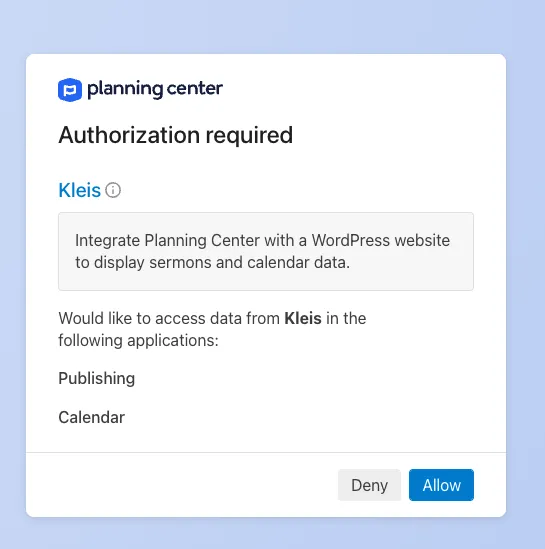
- Review the organization and requested access on Planning Center’s authorization screen.
- If your account belongs to more than one organization, choose the organization for this website.
- Approve the connection.
- Return to the Kleis settings page.
Reconnect after license reactivation
Section titled “Reconnect after license reactivation”After reactivating or moving a license, select Reconnect Planning Center in the administrator reminder. Saving the license alone does not restore the Planning Center connection.
Reconnect later
Section titled “Reconnect later”Use Reconnect Planning Center if an administrator revokes access, the connected account changes, or Kleis reports that the connection needs attention. Reconnecting does not remove episodes already stored in WordPress.
Next: sermon sites should run the first sync. Event-only sites can publish the first page.